

Send a message every year on each contact's date, such as a birthday, an anniversary or the day their system was installed.
A recurring campaign goes out every year on a date that belongs to each contact: their Birthday, or any date field on their contact, such as Anniversary or Installed on. Set it up once and Setaflow sends it to the right people every day.
This is the Recurring campaigns tab on the Campaigns page.
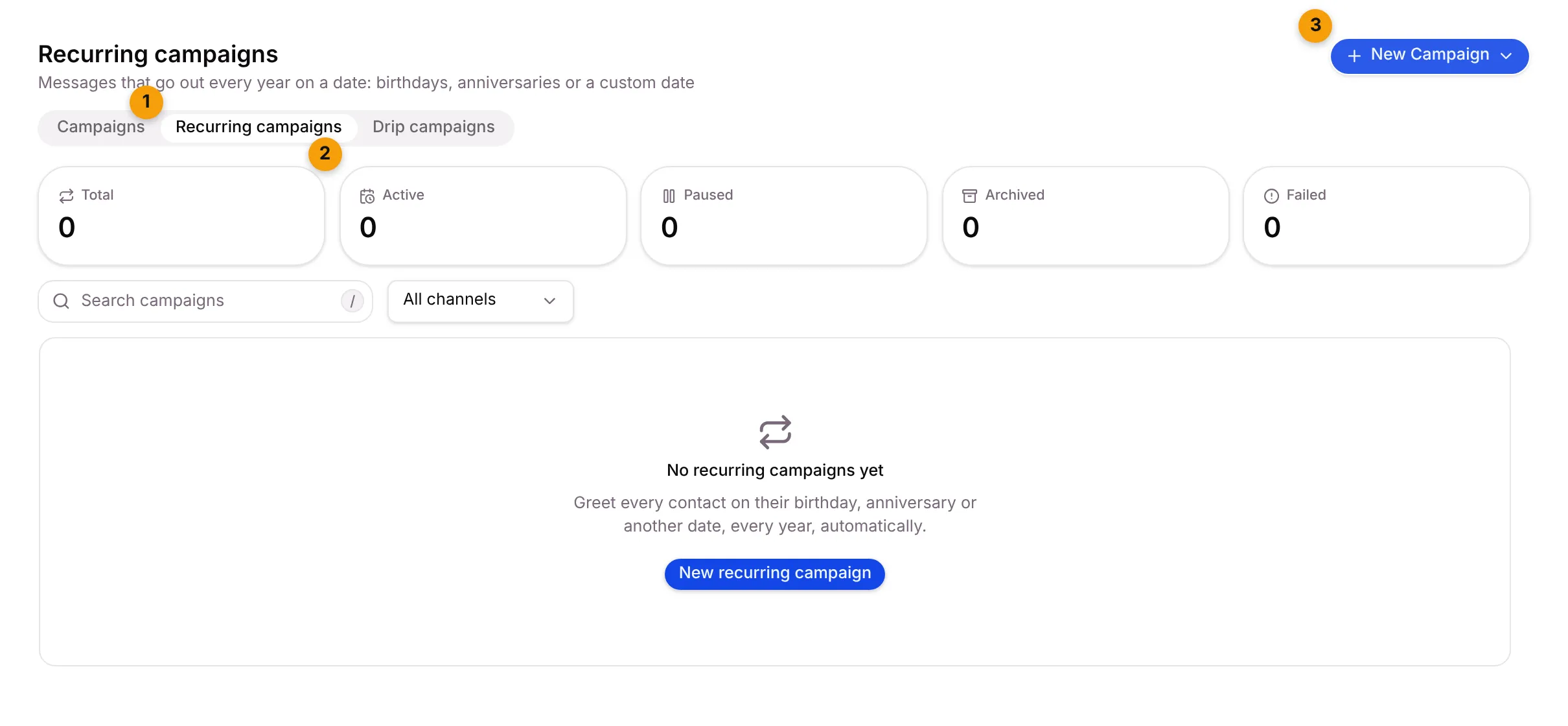
- Recurring campaigns tab.
- Stat tiles: Total, Active, Paused, Archived and Failed.
- New Campaign: choose Recurring Campaign. The menu shows how many active recurring campaigns your plan allows, for example 0 of 3 active.
Create a recurring campaign
Section titled “Create a recurring campaign”Click New Campaign and choose Recurring Campaign. Fill in Basics, Audience and Message the same way as a one-time campaign. The Schedule card is different:
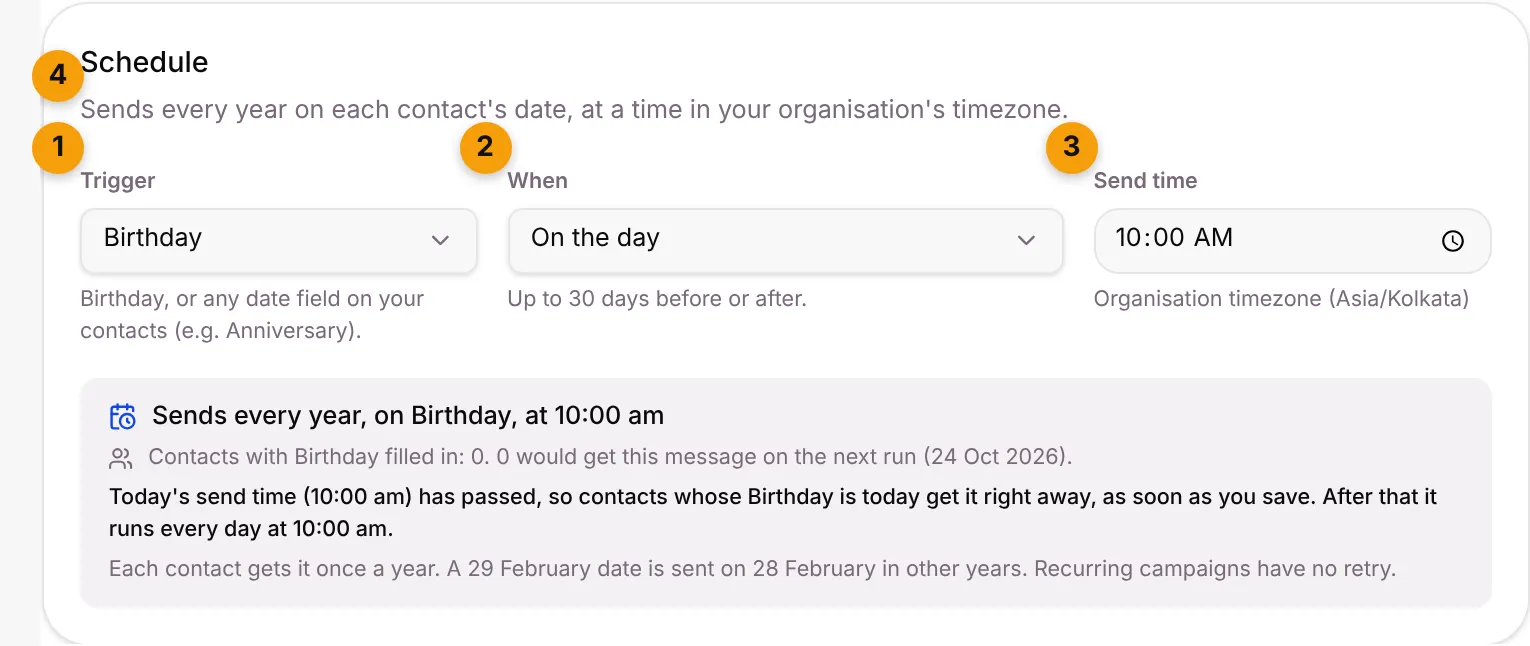
- Trigger: Birthday, or any date field on your contacts.
- When: On the day, or a number of days Before or After the date (up to 30).
- Send time: the time of day it goes out, in your organisation’s timezone.
- Summary: for example Sends every year, on Birthday, at 10:00 am, how many contacts have that date filled in, and how many would get the message on the next run.
Click Save.
Pause, resume or archive
Section titled “Pause, resume or archive”- Pause stops it for now. Resume starts it again. You can edit a paused campaign.
- Archive stops it for good and frees a slot on your plan. Its reports stay, but you can’t resume it.
The list shows each campaign’s schedule and when it last ran, for example Ran today (12 sent).
Good to know
Section titled “Good to know”- Each contact gets it once a year. A 29 February date is sent on 28 February in other years.
- Fill in the date. Contacts without the date field filled in never get the message. Add dates when you add a contact or import from Excel.
- No retry. Recurring campaigns don’t retry failed messages.
What’s next?
Section titled “What’s next?”Related articles
Section titled “Related articles”Was this article helpful?
Thanks for letting us know.