

The Super Admin's tool for deciding which features and limits each Setaflow plan includes, and so which screens a business sees.
The Plan builder decides what each Setaflow plan includes. For each plan, the Super Admin switches features on or off and sets a limit where one applies. Every business on that plan then sees those screens. Open it from Administration › Plan builder. The page is called Plan & Add-on Builder: “Compose plans by enabling features and setting limits (super-admin).”
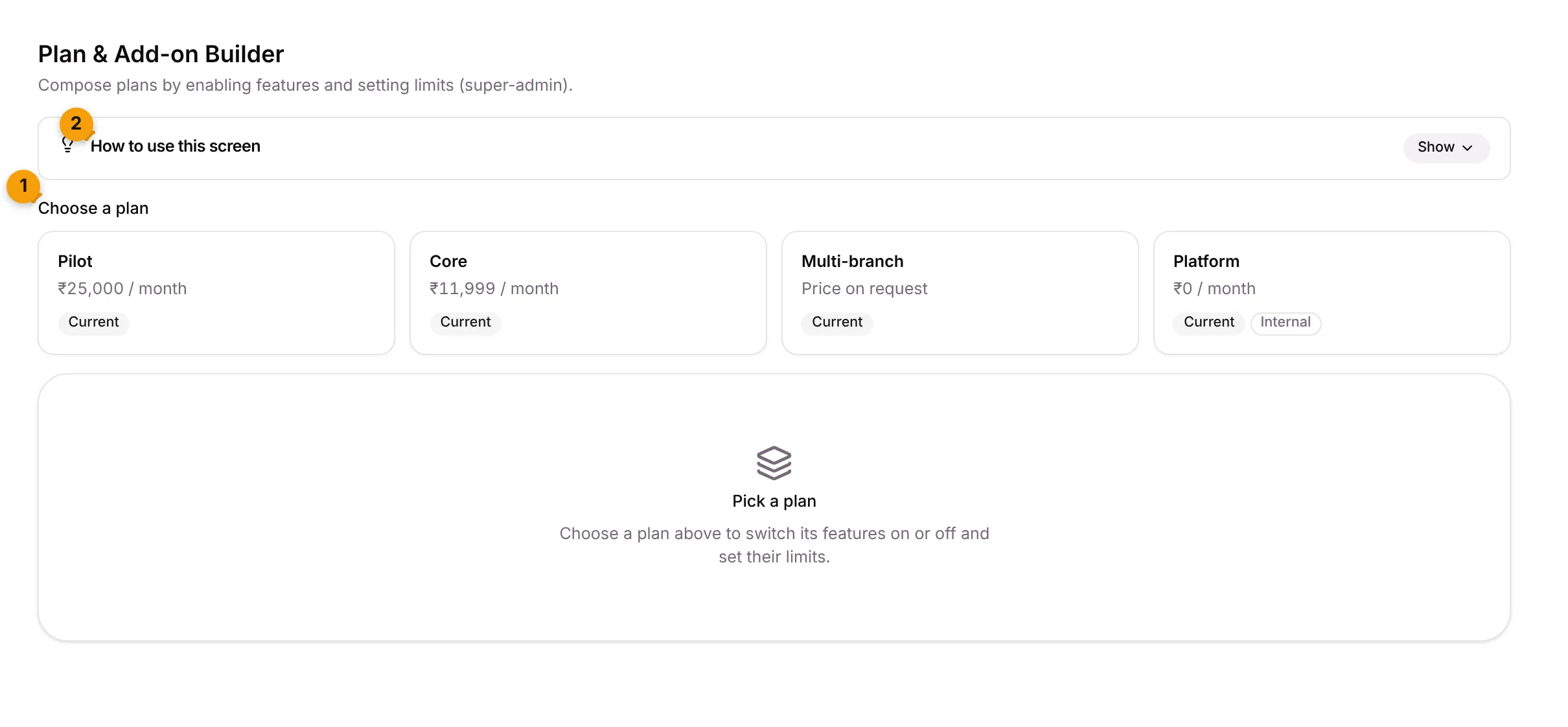
- Choose a plan: one card per plan, with its monthly price, Current and, for plans never offered to customers, Internal.
- How to use this screen: a short guide. Click Show to open it and Hide to fold it away.
Until you pick a plan, the page says Pick a plan.
Change what a plan includes
Section titled “Change what a plan includes”- Go to Administration › Plan builder.
- Under Choose a plan, click the plan, for example Pilot.
- Tick a feature to include it, or untick it to leave it out.
- For a feature with a limit, type a number or switch on Unlimited. Each row explains what it unlocks, with an example.
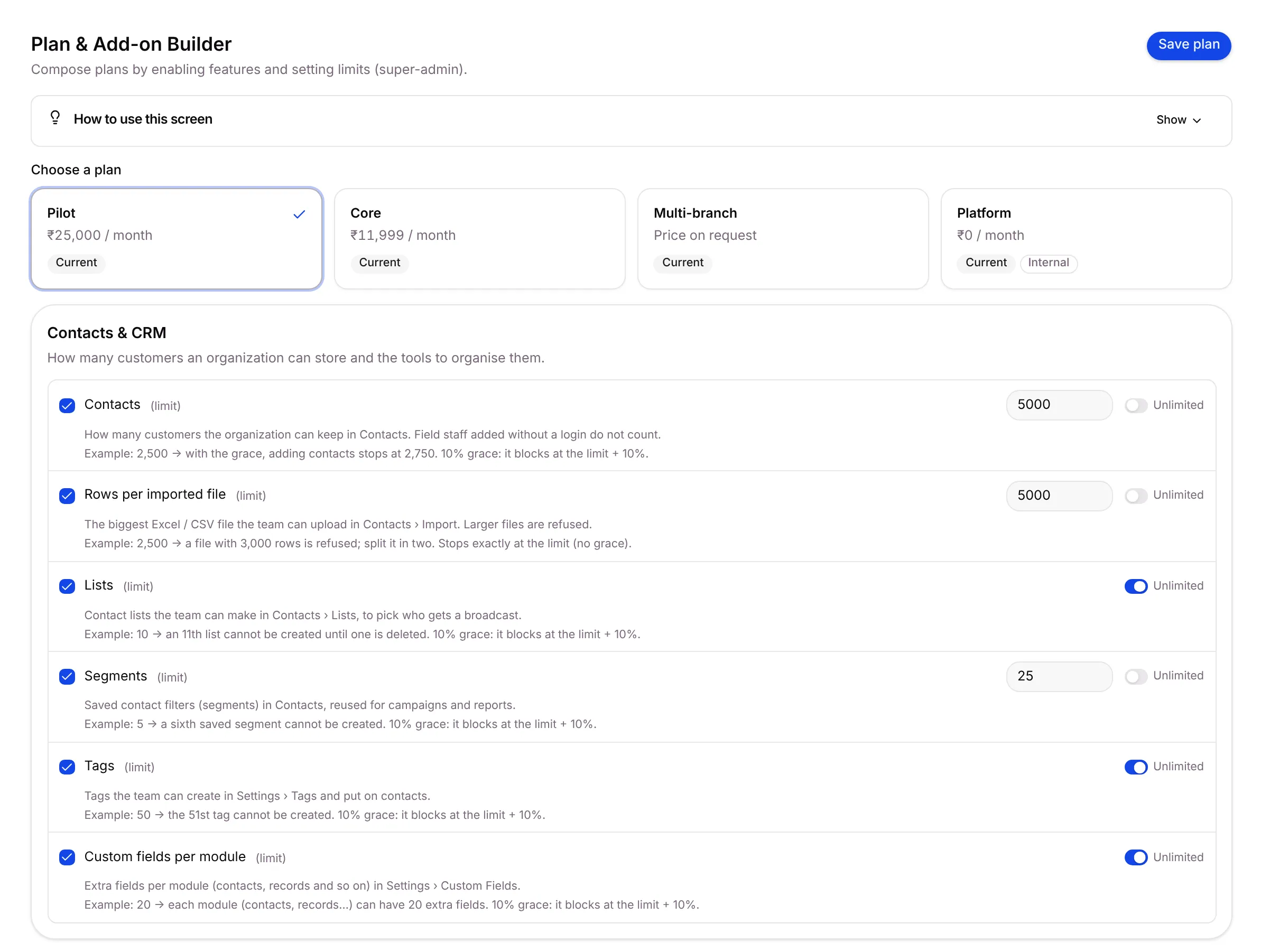
- Click Save plan. Setaflow says Plan features saved.
How to read a limit
Section titled “How to read a limit”| What you see | What it means |
|---|---|
| Unticked | Not included |
| Ticked, with a number | Included, up to that number |
| Ticked, Unlimited | Included with no limit |
| Ticked, 0 | Included but none allowed. For Seta AI replies, 0 means credits only. |
| Not set | No saved value. Paid features count as not included. |
Rows inside rows: a row indented under another needs it. For example, Lead sources and Facebook Lead Ads need Lead capture. Switching the parent off switches them off; ticking a child switches its parent on.
Grace and fair use: live counts and monthly limits block at the limit plus 10%. Seats, collaborators, starter packs and campaigns active at one time stop exactly at the limit. Automation runs are fair use: they are warned, never blocked.
Good to know
Section titled “Good to know”- Seta AI replies are never unlimited. Give them a number.
- Create or price a plan on Administration › Plans, not here. At most 4 plans can exist.
- Internal plans, such as the platform’s own plan, are never offered to businesses. A Super Admin assigns them from Subscriptions.
- A business sees what its plan includes. When a screen isn’t included, the business sees “isn’t included in your plan” with a See plans button.
What’s next?
Section titled “What’s next?”Related articles
Section titled “Related articles”Was this article helpful?
Thanks for letting us know.