

Connect your business WhatsApp number, keep the WhatsApp Business app on your phone if you want, and check the contacts and chat history sync.
WhatsApp number connects your business number to Setaflow. Enquiries, check questions, quotes and payment reminders all go out from this number, and every reply comes back to your Inbox. Open it from Settings › WhatsApp number.
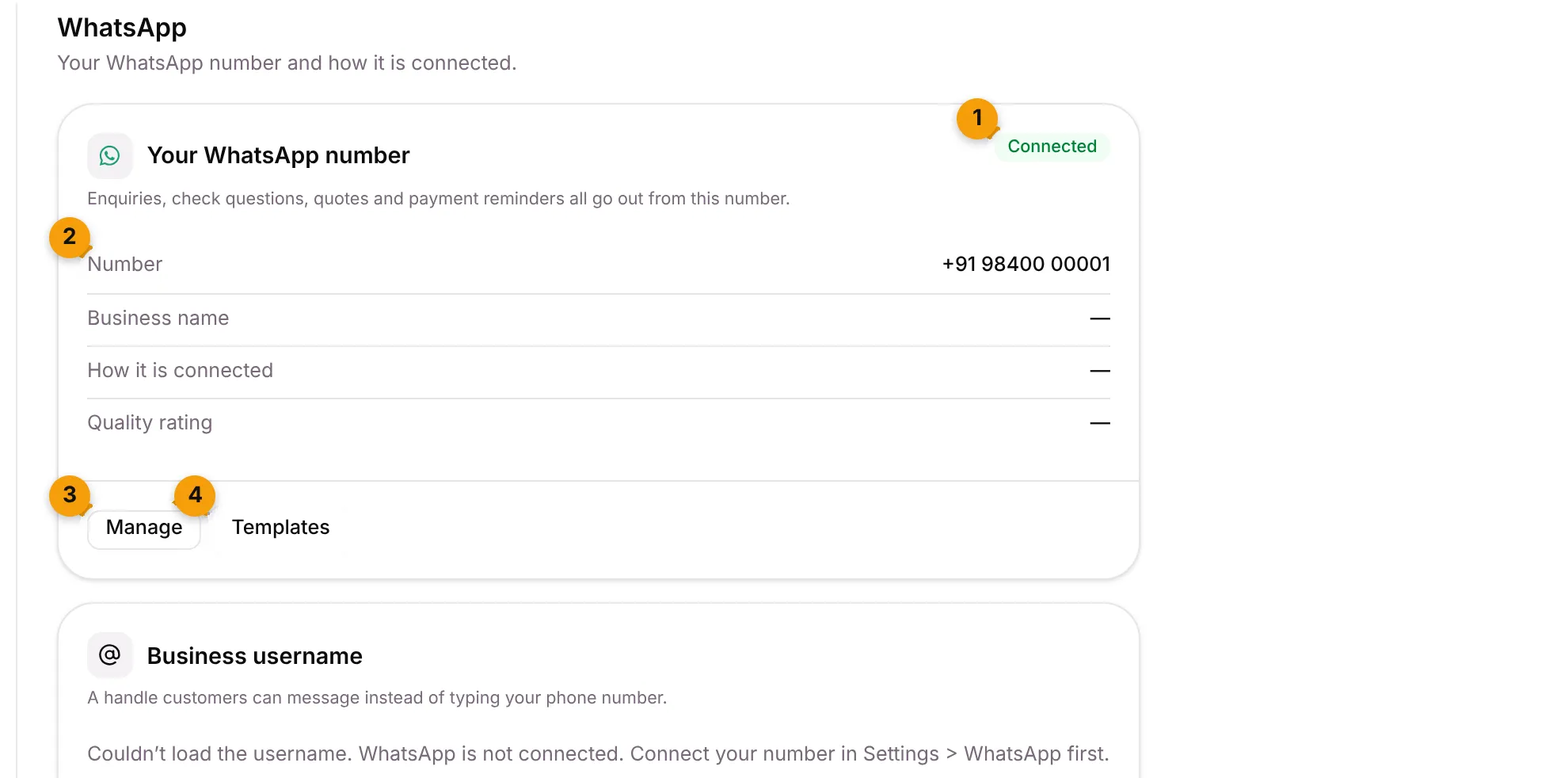
- Status: Connected, Not connected or Disconnected.
- The details: Number, Business name, How it is connected (Coexistence or Dedicated API number) and Quality rating, which is what Meta thinks of the messages you send. A Coexistence number also shows Contacts sync and Chat history sync rows.
- Manage: opens the WhatsApp account details and business profile.
- Templates: opens your message templates.
When no number is connected, the card says “Connect the number your customers already message” and has a Connect WhatsApp button instead.
Choose how to connect
Section titled “Choose how to connect”When you click Connect WhatsApp, Setaflow asks Connect your WhatsApp number: “Choose how the number will be used.”
| Option | Best for | What it means |
|---|---|---|
| Keep my WhatsApp Business app (Coexistence) | Owner-led firms where the owner replies from the phone | The app stays on the phone. Chats sent from the app also show in Setaflow. |
| A dedicated API number | Larger teams, or a number used by the whole office | The number lives only in Setaflow, with no app on a phone |
Connect and keep your Business app
Section titled “Connect and keep your Business app”- Go to Settings › WhatsApp number and click Connect WhatsApp.
- Choose Keep my WhatsApp Business app.
- Under Before you connect, confirm each point, tick every point. They say:
- Your WhatsApp Business app is version 2.24.17 or newer.
- You have the phone with you. Meta sends a code to it.
- Keep the app open while your contacts and the last 180 days of chats sync. This happens only once, within 24 hours.
- Unlink companion devices first. WhatsApp for Windows and WearOS are not supported.
- Groups, broadcasts, calls, catalog, labels and greeting or away messages stay in the app only.
- Don’t uninstall the app, and open it at least every two weeks.
- Messages you send from the app are free. Messages Setaflow sends are billed by Meta to your WhatsApp account.
- Click Connect and keep my app and finish the steps in the Facebook window.
When it works, Setaflow says: “WhatsApp connected. Your Business app stays on the phone; no number registration is needed. Keep the app open while contacts and chats sync.”
To use a number only in Setaflow, choose A dedicated API number and click Connect a dedicated number instead.
Check the contacts and chat history sync
Section titled “Check the contacts and chat history sync”For a Coexistence number, the card has a Contacts sync row and a Chat history sync row. Each shows one status:
| Status | What it means |
|---|---|
| Not requested yet | Nothing asked for yet |
| Requested | Setaflow asked Meta to start |
| Syncing | It’s running. Chat history shows the step and percentage, such as Step 2 of 3 · 40%. |
| Done | Finished |
| Retrying | Meta didn’t accept it yet. Setaflow tries again every 15 minutes for 24 hours. |
| Declined on the phone | Someone said no on the phone |
| Failed | It didn’t work |
If a sync hasn’t started, click Request sync. If it failed, click Retry. The card shows Sync must finish by a time.
Only the Owner and Admin can request a sync.
Set a business username
Section titled “Set a business username”The Business username card lets customers message a handle instead of typing your phone number.
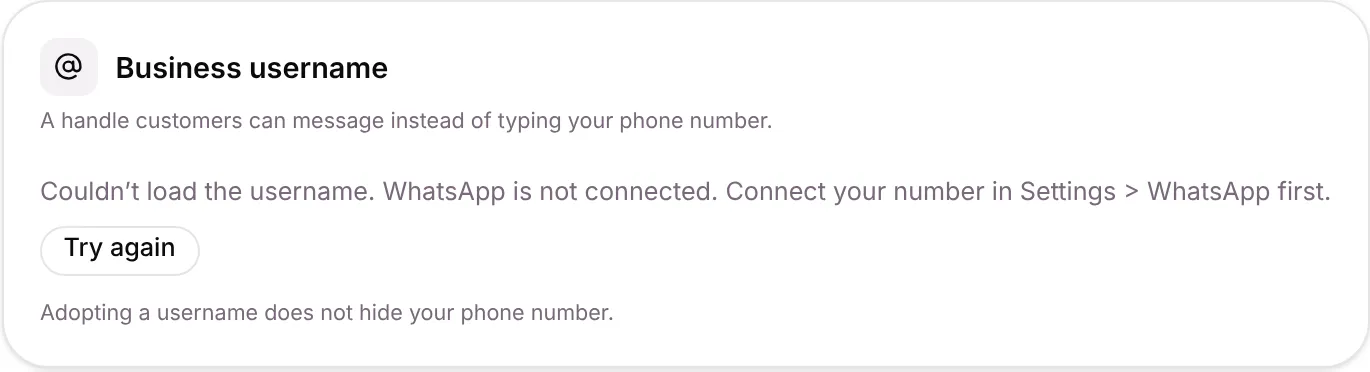
If the card says “Couldn’t load the username”, your number isn’t fully connected yet. Connect it first, then click Try again.
- Type a username, such as your_business_name, or pick one under Suggested for you.
- Click Set. Current username then shows Approved or Reserved. Use letters, numbers, periods and underscores only.
- To remove it, click Remove username.
If the number is disconnected
Section titled “If the number is disconnected”If someone disconnects the number in the WhatsApp Business app, messages no longer reach Setaflow. The card says so. Click Connect WhatsApp and connect the number again; the contacts and history sync run again.
Good to know
Section titled “Good to know”- What WhatsApp costs and Meta’s sending limit are on Billing and usage, under Usage.
- Templates: Setaflow can only start a conversation with a template Meta has approved. See Templates.
- Manage shows the account details, such as the connected number, message limits and quality rating, and the business profile.
What’s next?
Section titled “What’s next?”Related articles
Section titled “Related articles”Was this article helpful?
Thanks for letting us know.