

Every enquiry with money on it, showing what it's worth, what's paid, what's due now and what's late, with CSV and Tally exports.
Collections shows every enquiry with money on it in one table: what it’s worth, what’s in, what’s due now and what’s late. Use it for the big picture, and to send the numbers to your accountant.
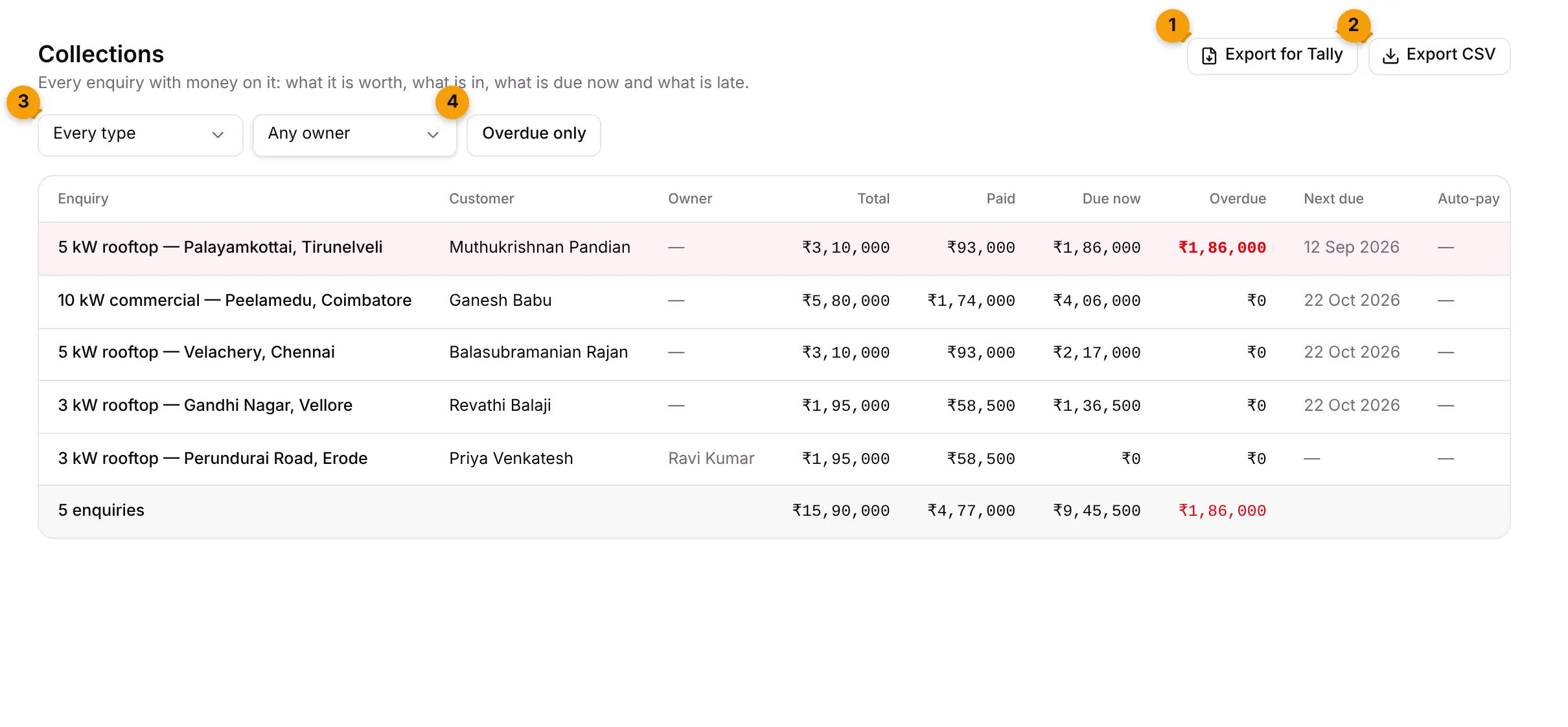
- Export for Tally: download a file of paid receipts for TallyPrime.
- Export CSV: download the rows on screen as a spreadsheet.
- Record type: Every type or one type. Next to it, Owner picks Any owner, Mine or one person.
- Overdue only: show only enquiries with late money.
What each column shows
Section titled “What each column shows”| Column | What it shows |
|---|---|
| Enquiry | The enquiry. Click to open it. |
| Customer | The contact. |
| Owner | Who owns the enquiry. |
| Total | What the enquiry is worth. |
| Paid | What has come in and been confirmed. |
| Due now | What the customer has been asked to pay and hasn’t yet. |
| Overdue | What is past its due date and grace days, in red. |
| Next due | The date of the next line that falls due. |
| Auto-pay | The auto-pay status, if your plan includes UPI AutoPay. |
Rows with overdue money are tinted. The last row shows the number of enquiries and the totals, for example 5 enquiries.
Export a CSV
Section titled “Export a CSV”- Set the filters you want.
- Click Export CSV.
The file is named collections-YYYY-MM-DD.csv and has the columns Enquiry, Customer, Owner, Total, Paid, Due now, Overdue and Next due. It contains exactly the rows on screen.
Export for Tally
Section titled “Export for Tally”- Click Export for Tally.
- Pick the From and To dates. Last month is filled in for you; the range can be at most a year.
- Click Download file, or Cancel to close.
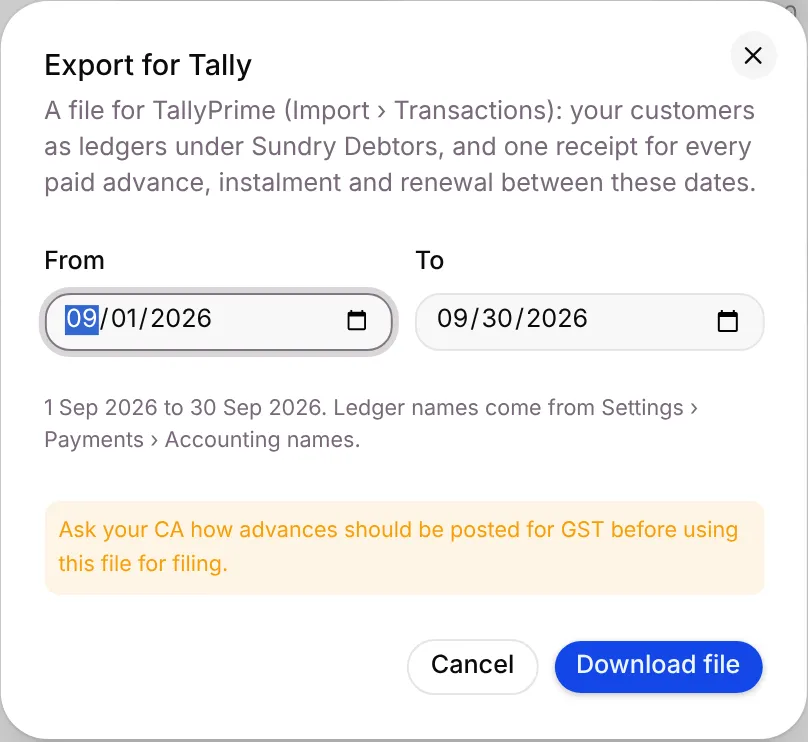
You get a file for TallyPrime (Import › Transactions): your customers as ledgers under Sundry Debtors, and one receipt for every paid advance, instalment and renewal between those dates. A message tells you how many receipts and customers are in it.
Good to know
Section titled “Good to know”- Only confirmed payments count as Paid. Payments waiting in Advances to confirm aren’t included yet.
- When there’s nothing to show, you see No money on any enquiry yet., or Nothing matches these filters.
- If you don’t see Export for Tally, your plan doesn’t include it.
What’s next?
Section titled “What’s next?”Related articles
Section titled “Related articles”Was this article helpful?
Thanks for letting us know.