

A starter pack sets up a business for its trade in one step, creating its record types, stages, task types, appointment types and fields. Owners request it; the Setaflow team installs it.
A starter pack is a ready-made setup for one trade, such as Rooftop solar, Lifts and elevators or Fire safety. When it is installed, Setaflow creates the trade’s starting record types, stages, task types, appointment types and fields, all editable afterwards. A new business can start working the same day.
Request your setup (Owners)
Section titled “Request your setup (Owners)”The first time an Owner logs in, Setaflow asks Tell us your business so SetaFlow can set it up.
- Under Business type, pick the closest match. If none fits, choose Not sure / something else.
- Click Request setup. The button says Sending… while it goes.
- Setaflow confirms that the Setaflow team will set up your business for you and let you know.
Nothing you already have is switched off or changed.
The trade packs
Section titled “The trade packs”| Pack | What a record is called | Won stage | Visit is called |
|---|---|---|---|
| Rooftop solar | Enquiry | Handed over | Site visit |
| Lifts and elevators | Enquiry | Handed over | Site visit |
| Fire safety | Enquiry | Handed over | Site visit |
| Water treatment, RO and STP | Enquiry | Handed over | Site visit |
| AC and HVAC | Enquiry | Handed over | Site survey |
| Interiors and modular kitchens | Project | Handed over | Site measurement |
| CCTV and security | Enquiry | Handed over | Site visit |
| Installation (general) | Job | Installed | Site visit |
| AMC (add-on to Installation) | Contract | Renewed | Service visit |
Each of the seven trade packs, from Rooftop solar to CCTV and security, also brings:
- Three check questions in English and Tamil.
- An advance lock, for example on the Advance paid stage, and automatic steps: start the AMC at handover, create a task after the visit, apply the payment plan when the advance is paid.
- One payment plan, for example Solar 30 / 60 / 10.
- One contract plan, with the price left for you to fill in.
- One certificate template.
- Task types, an appointment type, custom fields and WhatsApp templates in English and Tamil.
Rules every pack follows
Section titled “Rules every pack follows”- One trade pack per business. A second trade is refused.
- The AMC pack can be added to the Installation pack, which has no AMC contracts of its own. Every other trade pack already includes them.
- Packs only add. A pack writes ordinary settings once and is never re-applied. Nothing you already have is changed.
- Your plan sets how many packs can be installed.
Install a pack (Super Admin only)
Section titled “Install a pack (Super Admin only)”The Starter packs tab in Settings is shown only to the Setaflow team.
- Go to Settings › Starter packs.
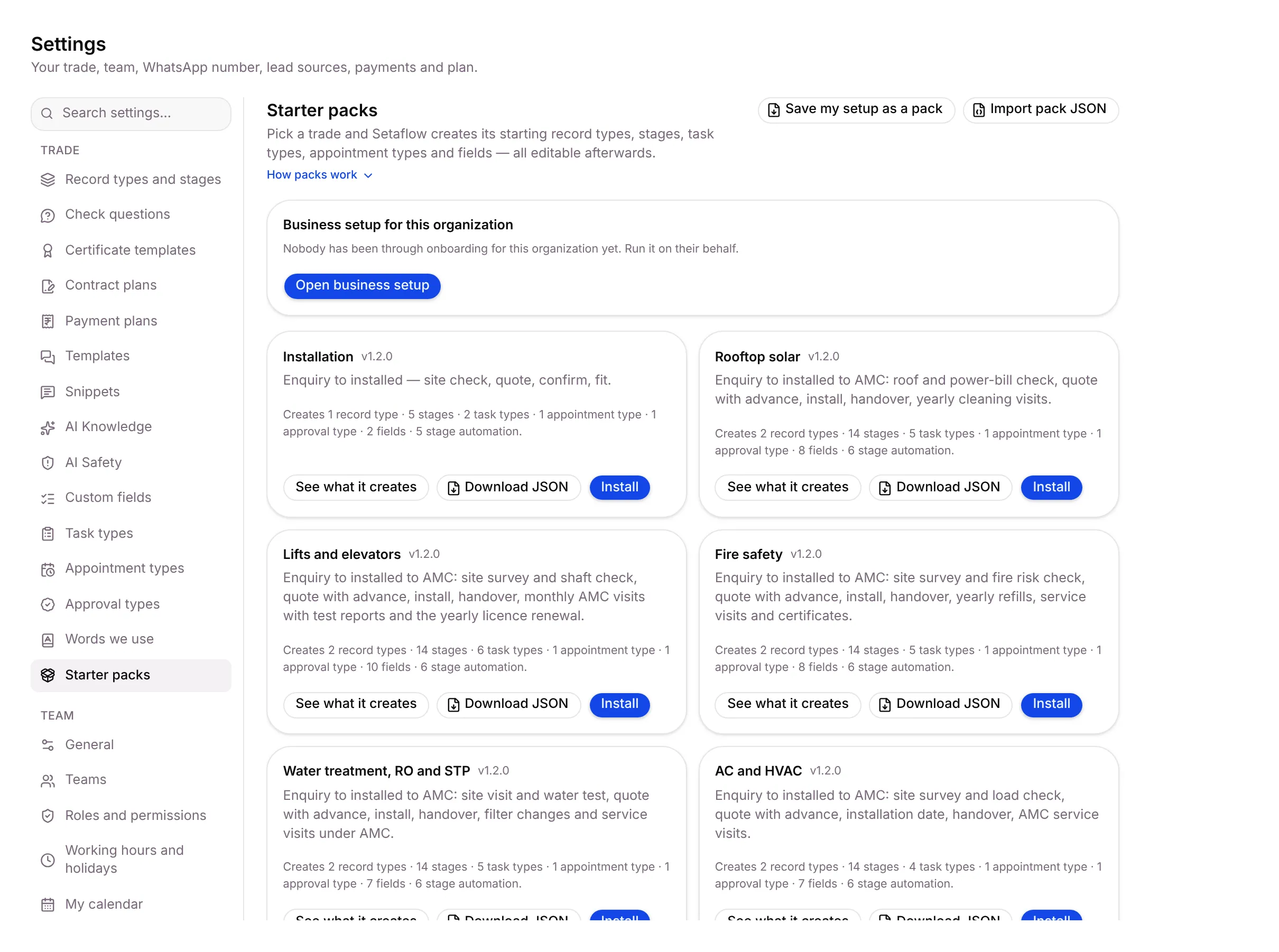
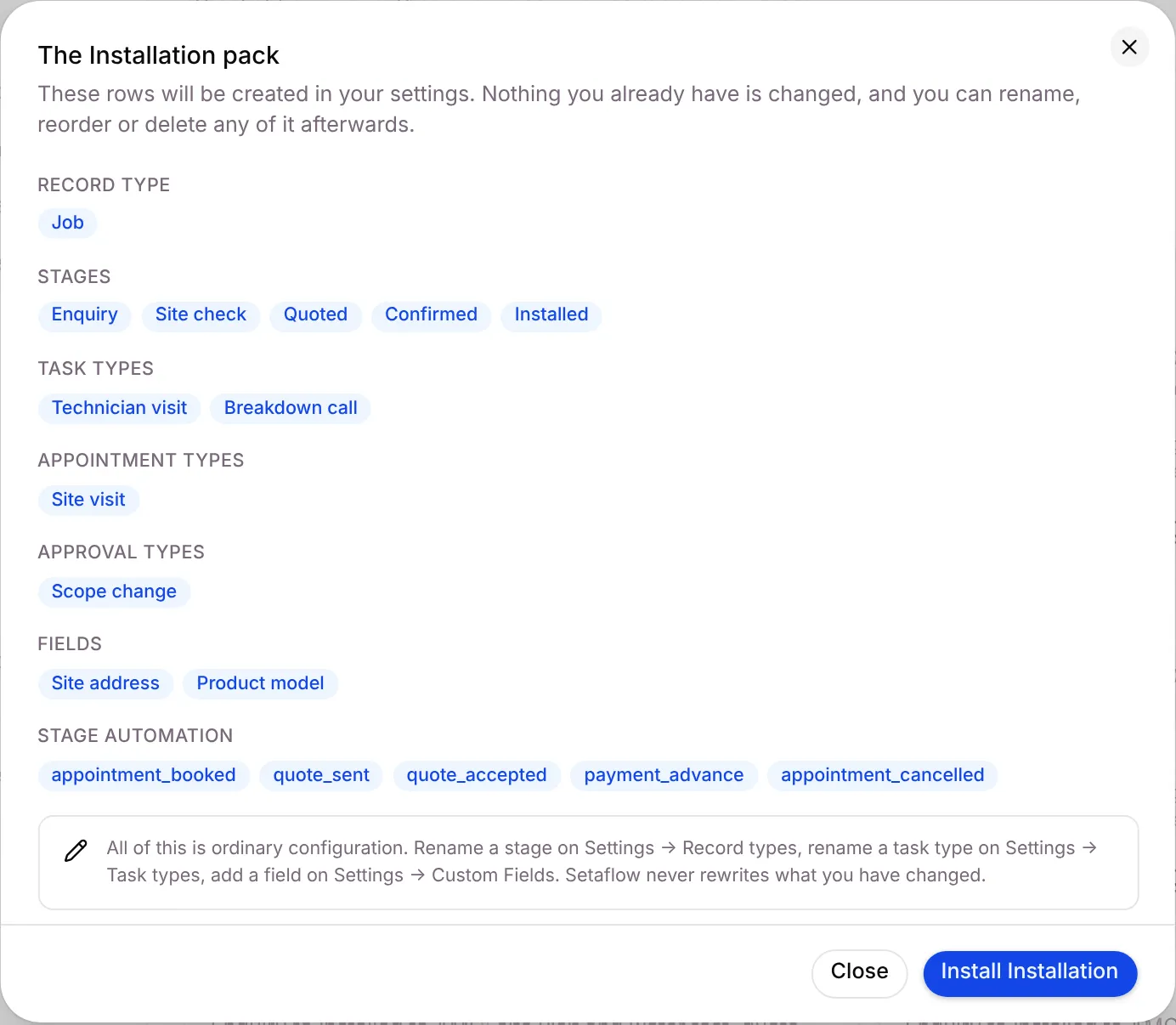
- On a pack, click See what it creates. The preview, for example The Installation pack, lists the record type, stages, task types, appointment types, approval types, fields and stage automation it will create. Rows you already have are marked · already there.
- Click Install pack name, or Close.
Other actions on a pack card:
- Upgrade to vx appears when a newer version of an installed pack exists.
- Uninstall shows which rows it Will remove and which it keeps, because you changed them, they’re shared with another pack, or live records still use them.
- Download JSON, Save my setup as a pack and Import pack JSON move packs between businesses.
- Business setup for this organization › Open business setup runs the same setup an Owner sees, on their behalf. It only adds; nothing is switched off.
Good to know
Section titled “Good to know”- The setup request reaches the Setaflow team in their admin notifications.
- After install, check the contract plan price, your check questions and your words before you start.
What’s next?
Section titled “What’s next?”Related articles
Section titled “Related articles”Was this article helpful?
Thanks for letting us know.