

Set the kinds of work your team logs, with a default priority and duration, and how fast complaints must get a first response.
Task types are the kinds of work your team logs, such as a site survey, an installation or a breakdown call. Each type has a default priority and duration that pre-fill the task form. The same tab also holds your Complaints settings.
Go to Settings › Task types.
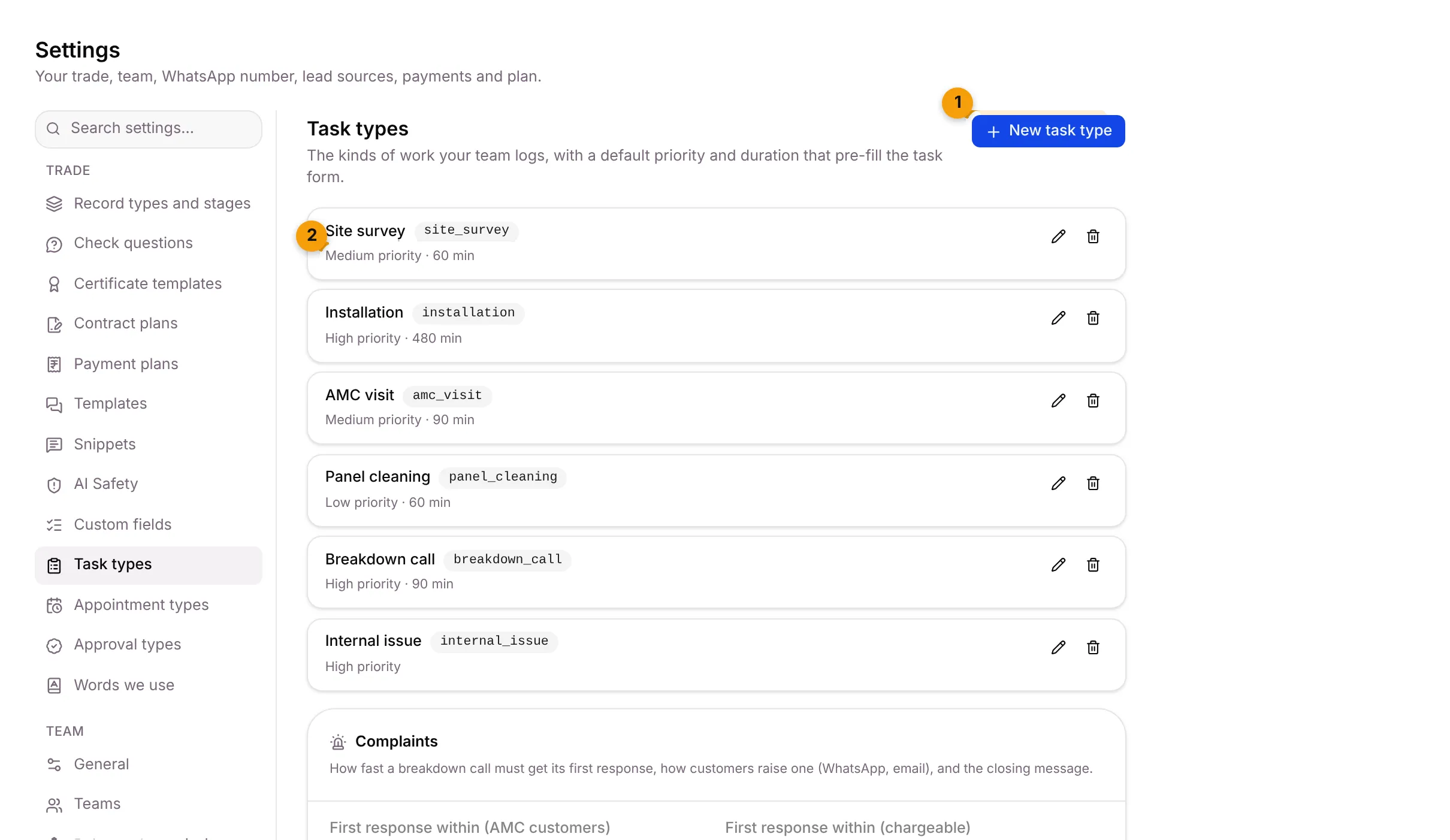
- New task type: add a kind of work.
- Defaults: the priority and duration that pre-fill the task form.
The pencil edits a type and the bin removes it. Suriya Solar’s starter pack added these task types:
| Task type | Default priority | Default duration |
|---|---|---|
| Site survey | Medium | 60 min |
| Installation | High | 480 min |
| AMC visit | Medium | 90 min |
| Panel cleaning | Low | 60 min |
| Breakdown call | High | 90 min |
| Internal issue | High | — |
Add a task type
Section titled “Add a task type”- Click New task type.
- Fill in:
- Label: for example Site visit.
- Key: lowercase letters, numbers and _ only. It can’t change later.
- Default priority: starts at medium.
- Default duration (minutes): for example 60.
- Click Create type, or Cancel.
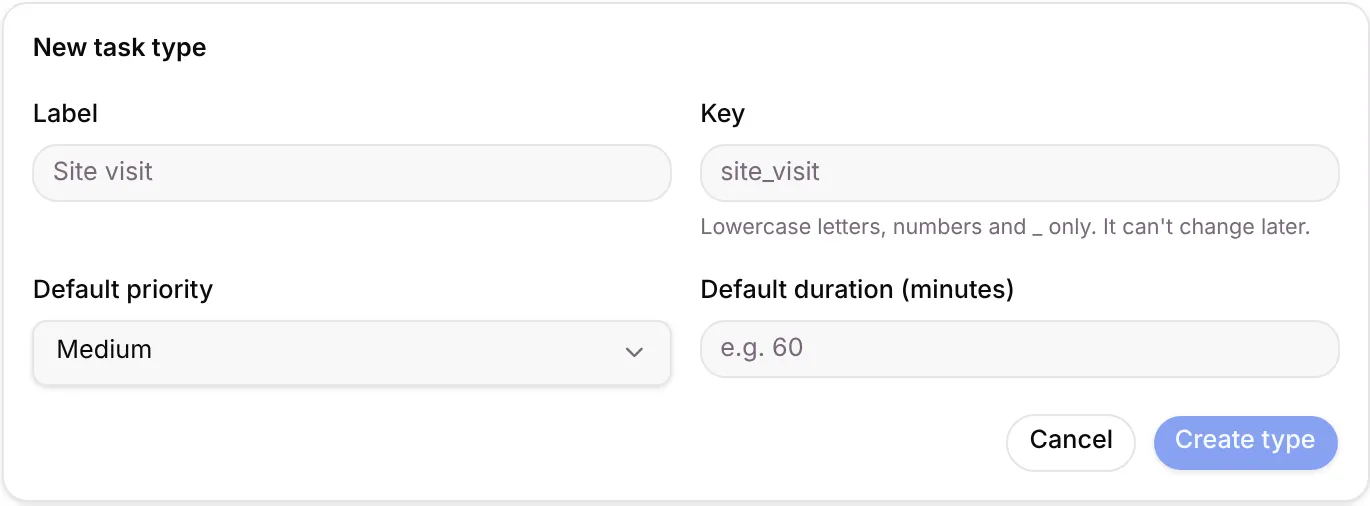
To change a type, click its pencil and then Save changes. To remove one, click the bin and confirm Remove task type.
Set complaint response times
Section titled “Set complaint response times”The Complaints card sits below the task types. It sets how fast a breakdown call must get its first response, how customers raise one, and the closing message.
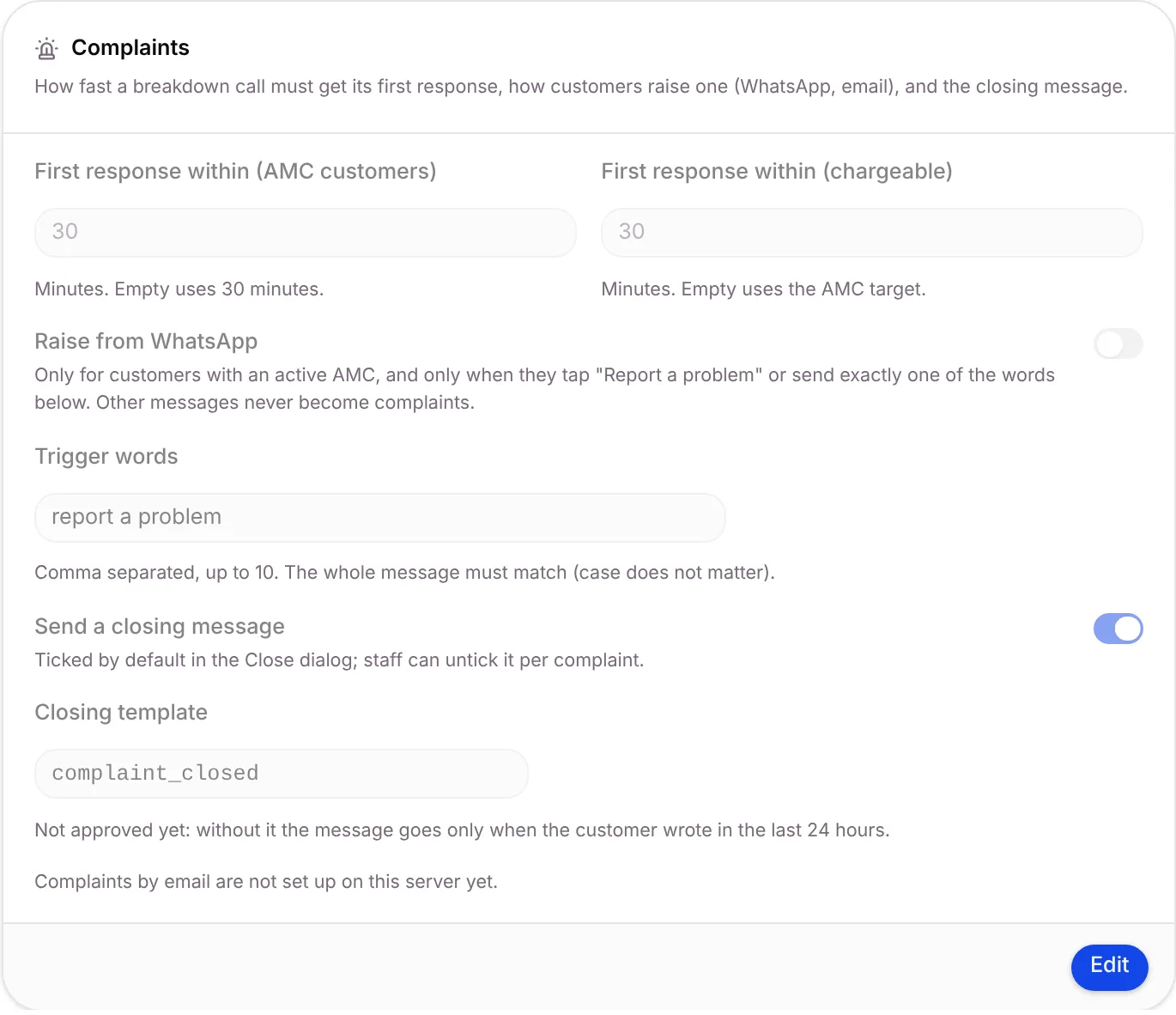
- Click Edit on the Complaints card.
- Fill in:
- First response within (AMC customers): in minutes. Empty uses 30 minutes.
- First response within (chargeable): in minutes. Empty uses the AMC target.
- Raise from WhatsApp: off at first. When on, only customers with an active AMC can raise a complaint, and only when they tap “Report a problem” or send exactly one of the trigger words. Other messages never become complaints.
- Trigger words: comma separated, up to 10, for example report a problem, breakdown. The whole message must match; case doesn’t matter.
- Send a closing message: ticked by default in the Close dialog. Staff can untick it per complaint.
- Closing template: the WhatsApp template sent when a complaint is closed.
- Save your changes.
Where it shows up
Section titled “Where it shows up”- The task type, priority and duration pre-fill new field jobs.
- The response targets drive the clock on each complaint.
- A stage step Create a task can use a task type. See Record types and stages.
Good to know
Section titled “Good to know”- Owners and Admins can open this tab, if your plan includes tasks.
- No task types yet? Add one, or install a Starter Pack to seed a set.
What’s next?
Section titled “What’s next?”Related articles
Section titled “Related articles”Was this article helpful?
Thanks for letting us know.