

One page for everything about a customer, from lead details and records to documents, payments and notes.
The client record brings together everything about one customer. Open it from Contacts: click ⋮ on the contact’s row and choose Client Record.
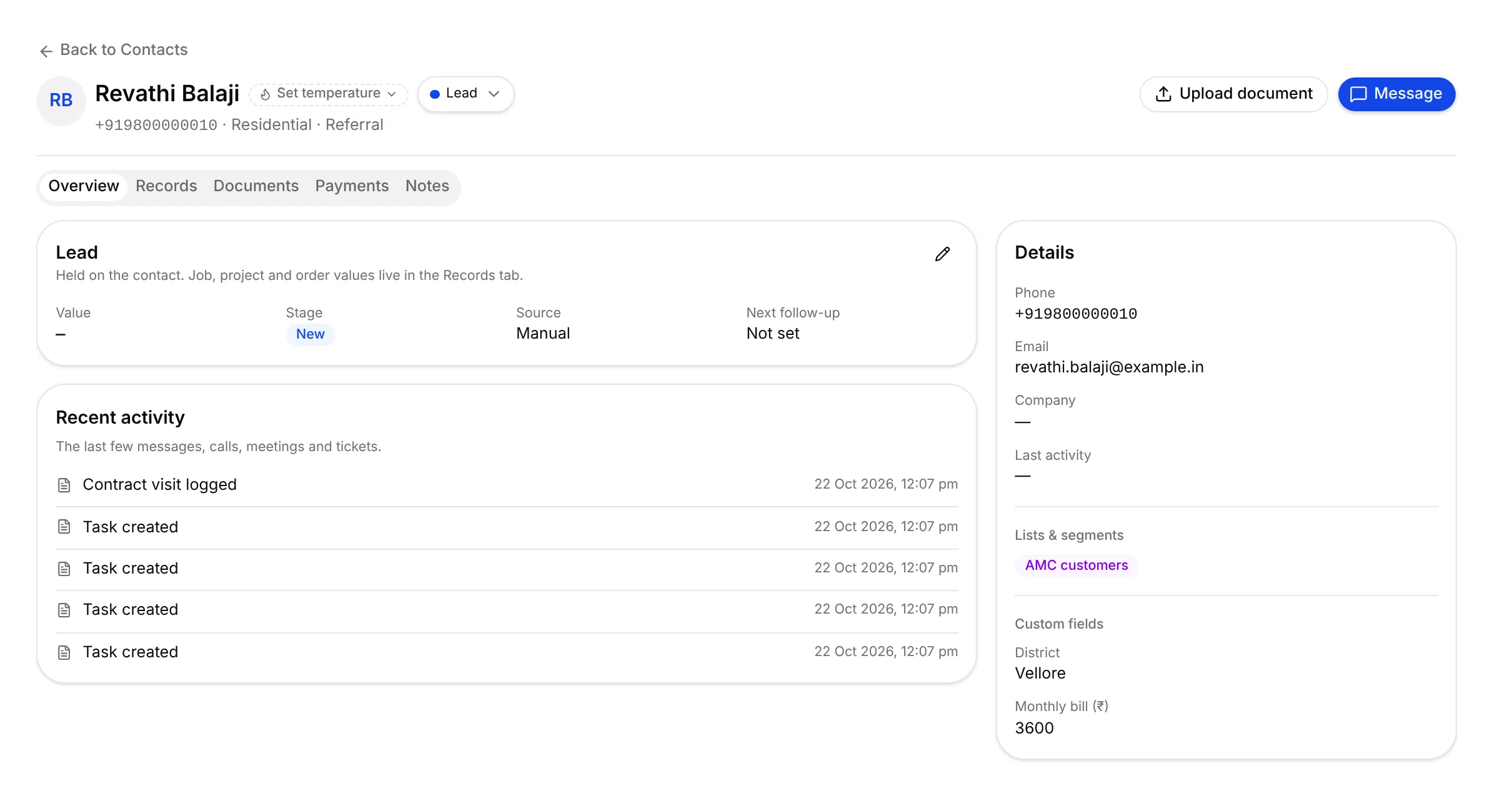
The header
Section titled “The header”-
Temperature: Set temperature to Hot, Warm or Cold. Setaflow also sets it from rules, but your choice always wins.
-
Client status:
- Lead: still a prospect. Today lists it under Going cold when it goes quiet.
- Active: a current customer.
- Cold: parked. Today stops flagging it.
Every change is logged on the timeline.
-
Upload document adds a file to the customer’s documents.
-
Message opens the customer’s chat in the Inbox.
The tabs
Section titled “The tabs”| Tab | What you’ll find |
|---|---|
| Overview | The Lead card (value, stage, source, next follow-up), Recent activity, and Details (phone, email, company, lists & segments, custom fields) |
| Records | Every record for this customer, such as installations and AMC contracts |
| Documents | Files for this customer. PDF, images, Word, Excel, CSV and text, up to 25 MB each |
| Checklist | Documents you still need from the customer, if your plan includes it |
| Payments | Advances and instalments, if your plan includes it |
| Notes | Internal notes for your team. Tick Log as decision to record a decision, and pin important notes |
Edit the lead details
Section titled “Edit the lead details”On Overview, click the pencil on the Lead card. Change Value, Source, Stage or Next follow-up and click Save.
The Lead card is for the contact as a whole. Job, project and order values live on each record in the Records tab.
Related articles
Section titled “Related articles”Was this article helpful?
Thanks for letting us know.