

Set the kinds of "yes" you collect from a customer, such as a design approval or a scope change, and whether each one needs a document.
Approval types are the kinds of “yes” you collect from a customer: a design, a NOC copy, a scope change. Each approval is recorded with who said yes, to what, and when.
Go to Settings › Approval types.
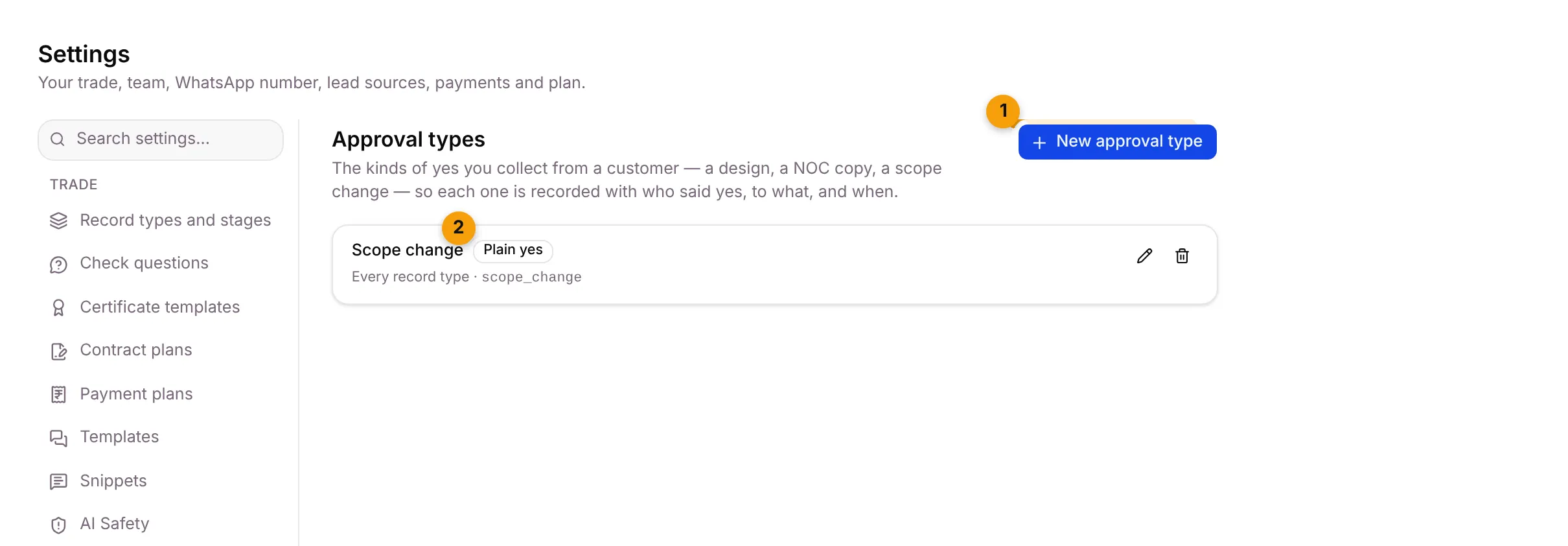
- New approval type: add a kind of approval.
- Plain yes or Needs a document: whether the customer approves a file. Suriya Solar’s Scope change is a plain yes for Every record type.
Add an approval type
Section titled “Add an approval type”- Click New approval type.
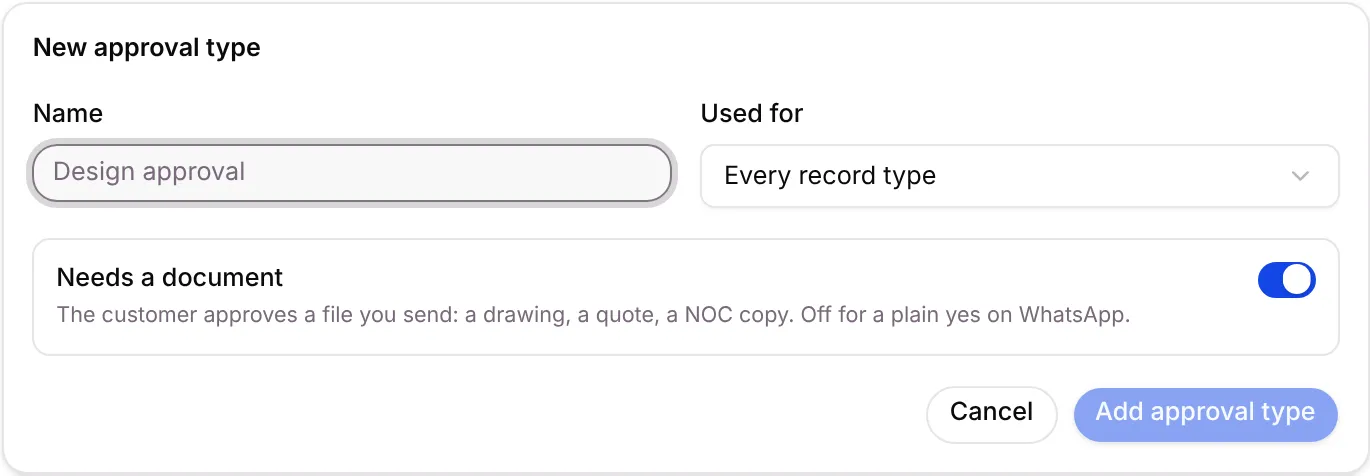
- Fill in:
- Name: for example Design approval.
- Used for: Every record type, or one record type only.
- Needs a document: on at first. The customer approves a file you send: a drawing, a quote, a NOC copy. Turn it off for a plain yes on WhatsApp.
- Click Add approval type, or Cancel.
Each type shows Needs a document or Plain yes, and Every record type or Only for a type. To change a type, click its pencil and then Save changes. To remove one, click the bin and confirm Remove approval type.
Where it shows up
Section titled “Where it shows up”- Approvals you ask for and receive are listed on the Approvals screen in the Money desk.
Good to know
Section titled “Good to know”- Owners and Admins can open this tab, if your plan includes approvals.
- Ideas by trade: “Design approval” for interiors, “Fire NOC copy” for fire safety.
Related articles
Section titled “Related articles”Was this article helpful?
Thanks for letting us know.