

Set the AMC and warranty plans you sell, with their term, price, included visits, visit interval, renewal notice and certificate.
A contract plan is a maintenance contract you sell, ready to use: how long it lasts, what it costs, how many visits it includes and how often, and when to remind the customer to renew. A contract copies its price on the day it is agreed, so changing a price here only affects contracts sold from now on.
Go to Settings › Contract plans.
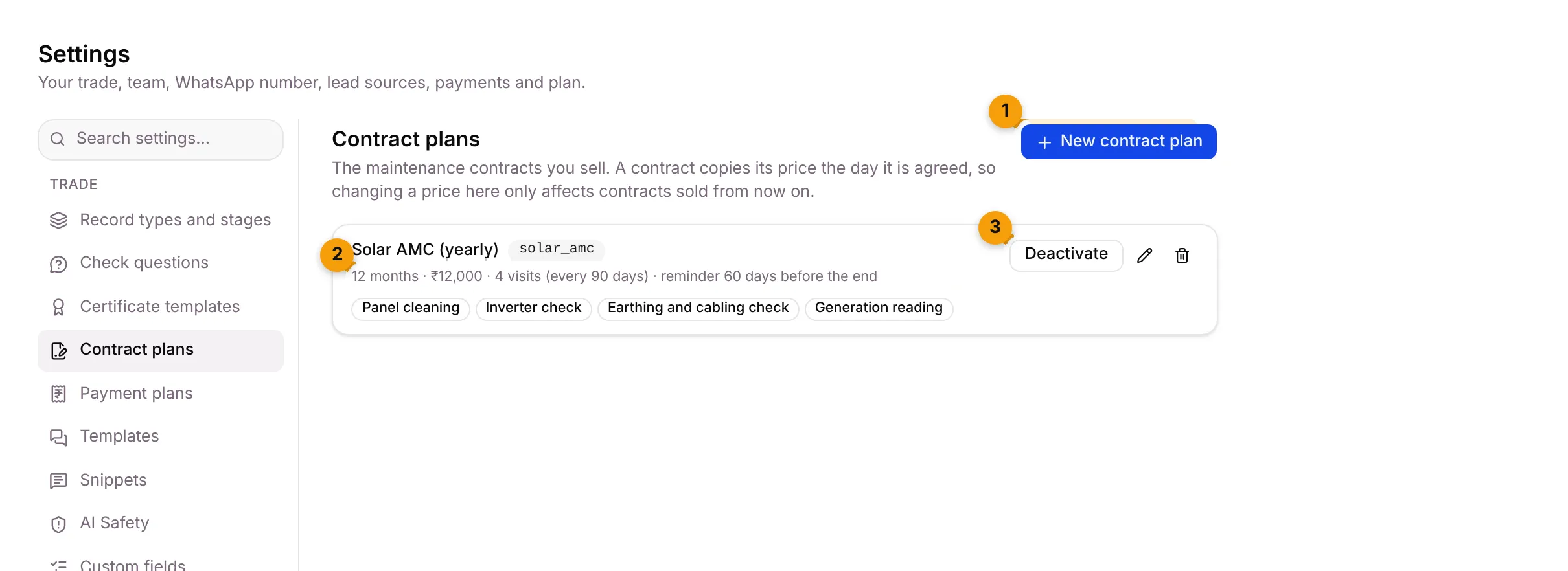
- New contract plan: add a plan.
- Plan summary: term, price, visits, visit interval and renewal reminder, for example 12 months · ₹12,000 · 4 visits (every 90 days) · reminder 60 days before the end. The tags below list what’s included.
- Deactivate: stop selling the plan without removing it. Click Activate to sell it again.
The pencil edits the plan and the bin removes it.
Add a contract plan
Section titled “Add a contract plan”- Click New contract plan.
- Fill in the form:
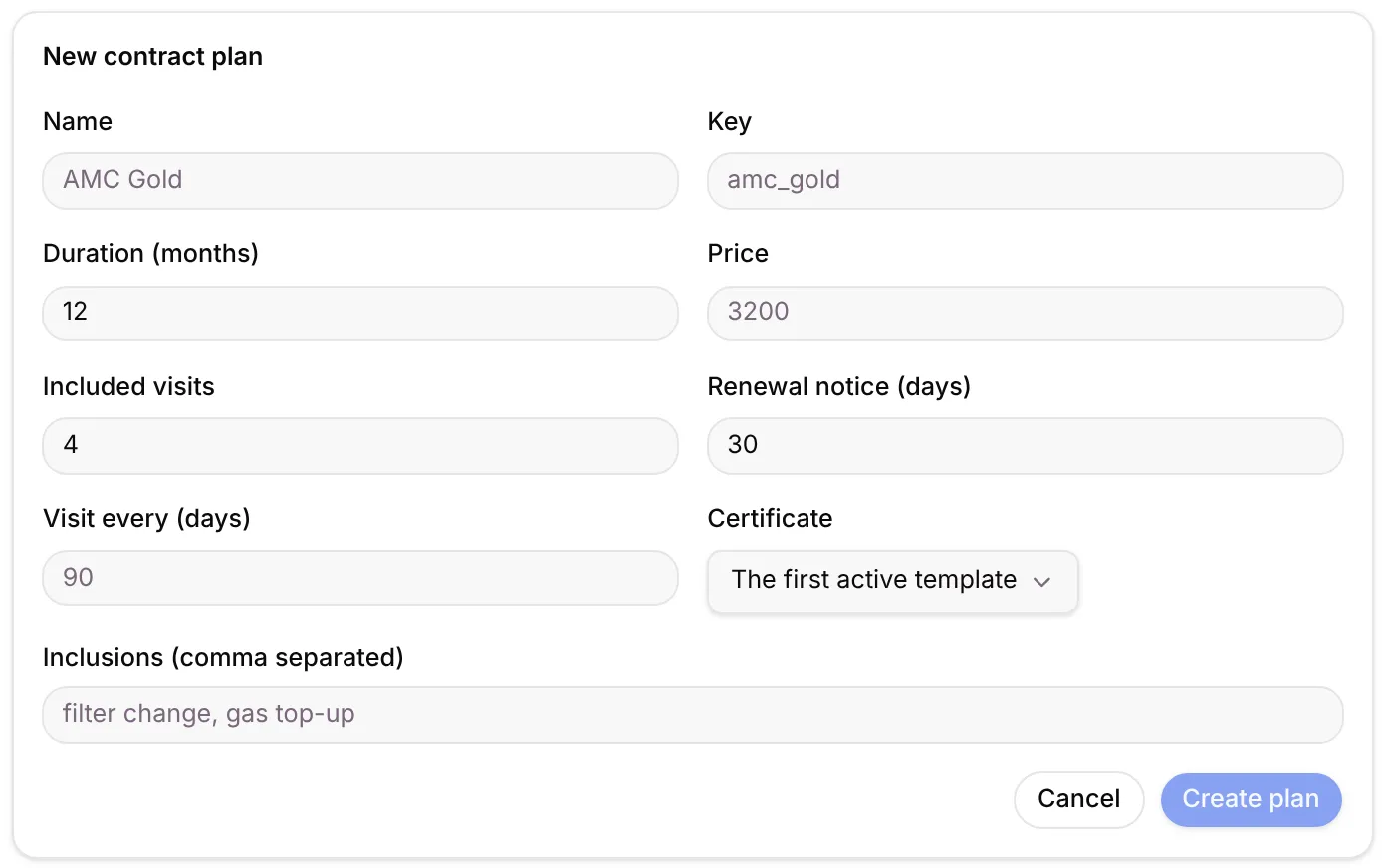
| Field | What to enter | Starts at |
|---|---|---|
| Name | What you call the plan, for example AMC Gold | — |
| Key | A short internal name, for example amc_gold. It can’t change once created. | — |
| Duration (months) | How long the contract lasts | 12 |
| Price | The price in ₹ | — |
| Included visits | How many visits the price covers | 4 |
| Renewal notice (days) | How many days before the end the customer is reminded | 30 |
| Visit every (days) | Days between visits, for example 90 | Blank |
| Certificate | The certificate each visit closes with | The first active template |
| Inclusions (comma separated) | What’s included, for example filter change, gas top-up | — |
- Click Create plan, or Cancel.
Change or stop selling a plan
Section titled “Change or stop selling a plan”- Change: click the pencil, change what you need and click Save changes. Contracts already sold keep their price.
- Stop selling: click Deactivate. The plan shows Inactive.
- Remove: click the bin and confirm Remove contract plan. Contracts already sold on it keep running.
Where it shows up
Section titled “Where it shows up”- Contracts lists every contract sold on these plans, with its visits and renewal date.
- The stage step Start a contract in Record types and stages uses a plan.
- The visit certificate comes from Certificate templates.
Good to know
Section titled “Good to know”- Owners and Admins can open this tab, if your plan includes contracts.
- Your starter pack adds one plan, for example Solar AMC (yearly), with the price left for you to fill in. Set the price before you sell it.
What’s next?
Section titled “What’s next?”Related articles
Section titled “Related articles”Was this article helpful?
Thanks for letting us know.